Chrome CRX Extension Local Installation Guide
Download CRX Package
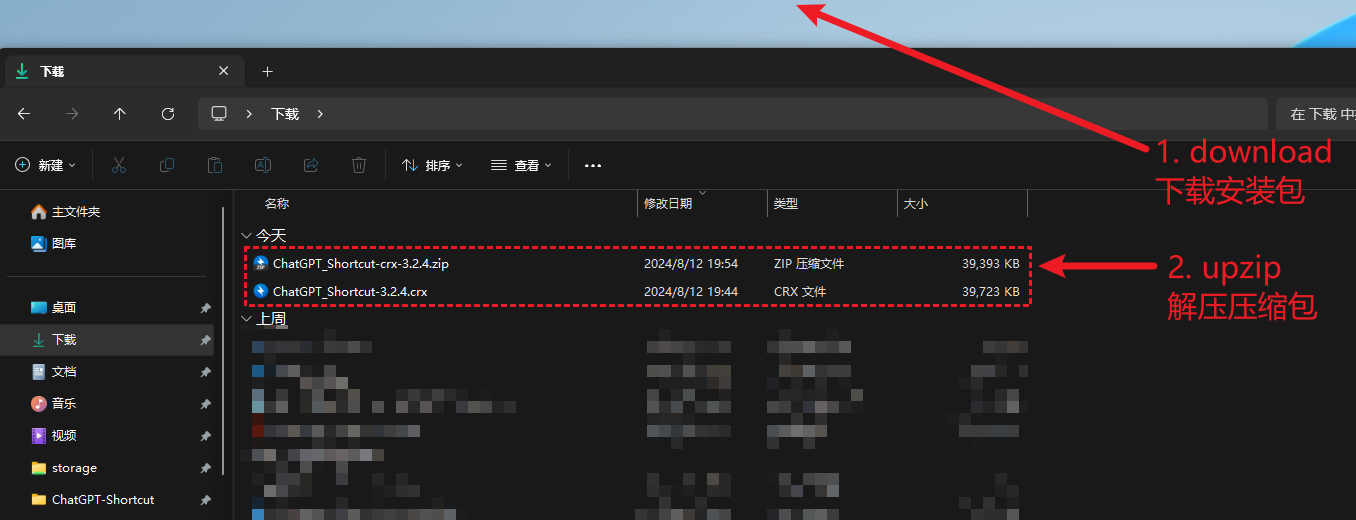
Download the ChatGPT Shortcut crx installation package (ChatGPT_Shortcut-crx-3.x.x.zip) and unzip it (the crx file is inside the unzipped folder).
- GitHub: GitHub Release
- China Download: Alist Drive; Lanzou Cloud, password: 1qow
Enable Developer Mode
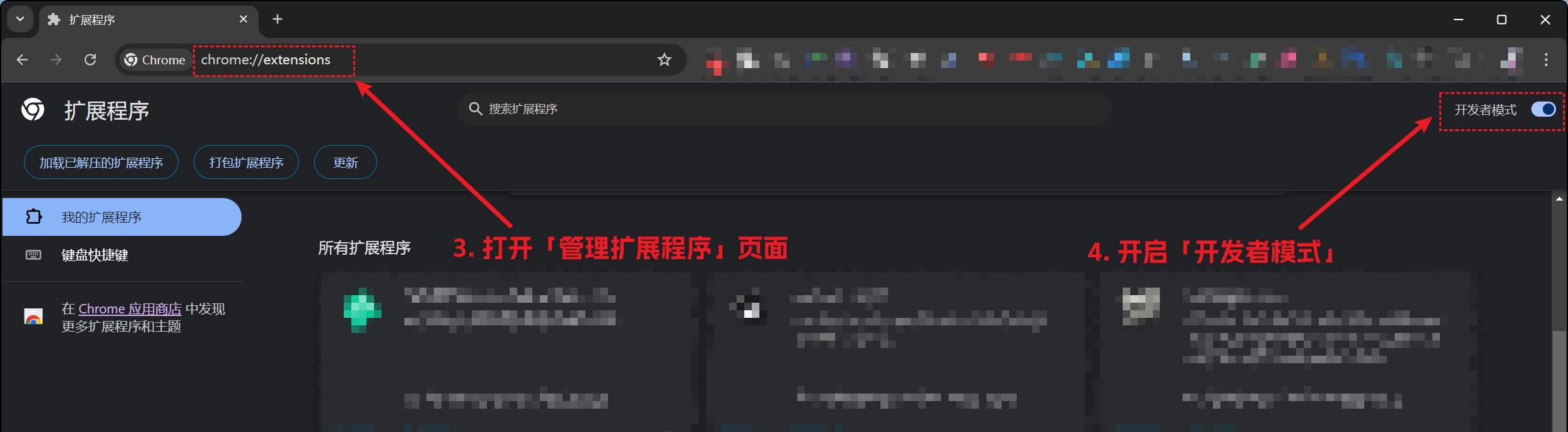
Open Chrome's "Manage Extensions" page and turn on "Developer mode".
Copy the following address and paste it into the browser address bar, then press Enter to open. Turn on "Developer mode" in the top right corner of the page.
chrome://extensions
Install Extension
Install ChatGPT Shortcut extension (Note ⚠️: You need to drag in the .crx file, do NOT click "Load unpacked")
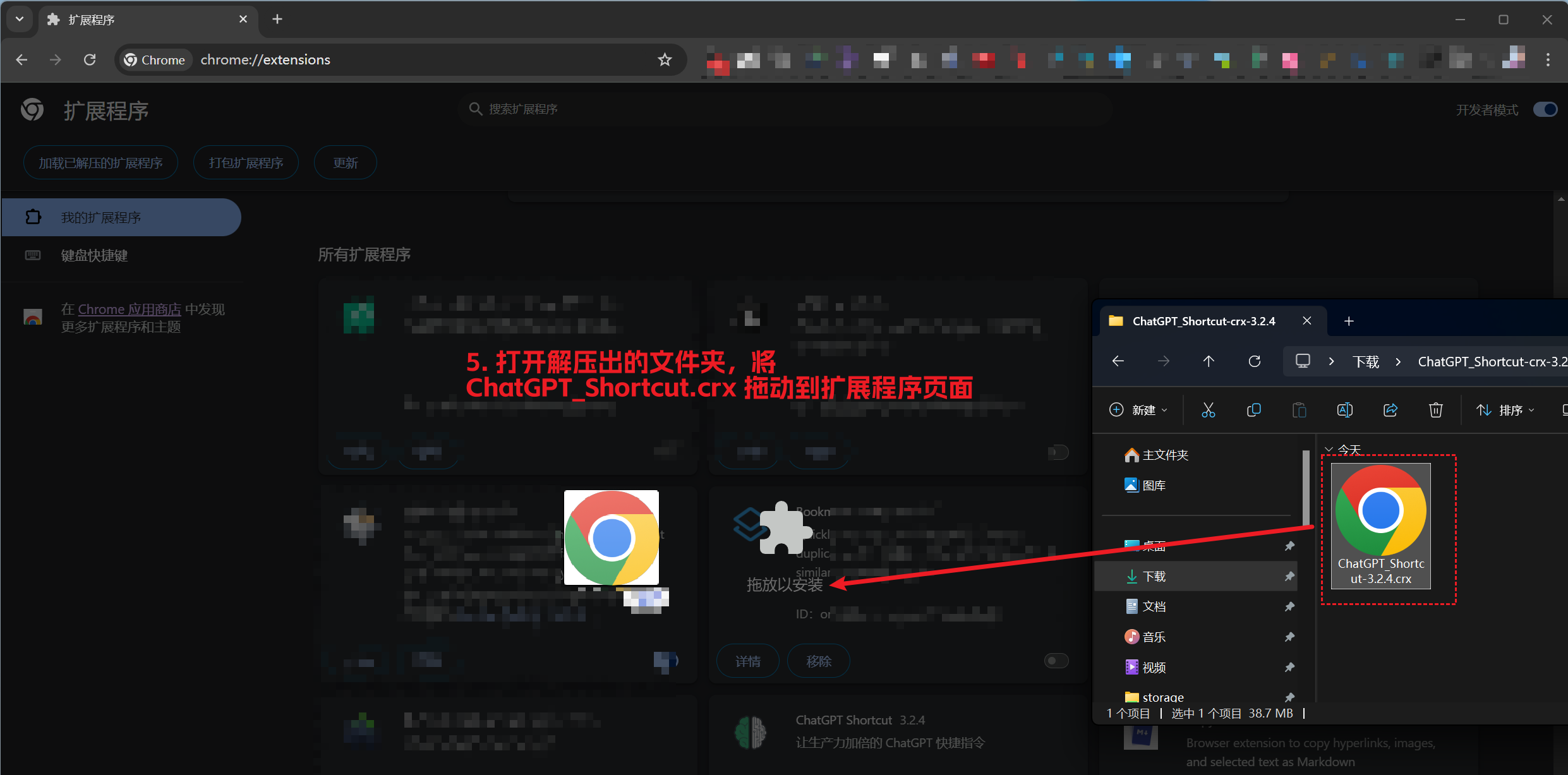
After successful installation, check the Plugin Usage Tutorial.
Installation Issues?
-
Windows users: Check if you have unzipped the downloaded installation package (instead of double-clicking to open)?
-
Is "Developer mode" enabled? If not, refer to step 2.
-
Did you drag the crx file into the "Extensions" page? Note ⚠️: Do not click "Load unpacked", you must drag the crx file.
-
Browser doesn't allow installing crx files? Try installing the zip file! Click here for zip installation tutorial.